Managing Technical Debt in the Age of Vibe Coding
tl;dr AI speeds up code writing but can balloon technical debt without review, architecture, tests, and security guardrails. Are you building AI chatbots or agents and wanting to steer the AI coding assistant in the right direction? Time to upskill some Python tools.

Technical debt piling up with vibe coding?
There is a stream of thought these days that, more than ever, we must keep coding and get really good at it. Why? Because with all the AI coding assistants out there, most software will contain so much AI-generated code, and we are right on track to drown in a sea of mess through “vibe code” that quickly becomes unmaintainable.
Unreviewed AI-assisted code rapidly piles up mountains of technical debt, and it’s happening so quickly.
Although AI is improving every day, this debt will only increase over time. And before things get better, they’re likely to get worse and in this worse period, before things improve, who should pay to fix this giant mess of code?
While there is an element of truth with all the AI slop, the view can be a bit underestimating AI and what is coming.
If AI is making the mess, can it even write good code?
A common criticism is that, as AI is trained on public git repos, many of which are just quick hacks, verbose, unstructured, and untested code, AI-generated code cannot be any good.
While true, this view is a bit simplistic.
Accurate next-token prediction is the training goal only for foundational models. But these days, all the AI that is released has undergone multiple rounds of reinforcement learning and fine-tuning. In these stages, the AI can learn much more. Although for all the flagship models out there it is unknown to the public exactly how they are trained on coding, we do know some details.
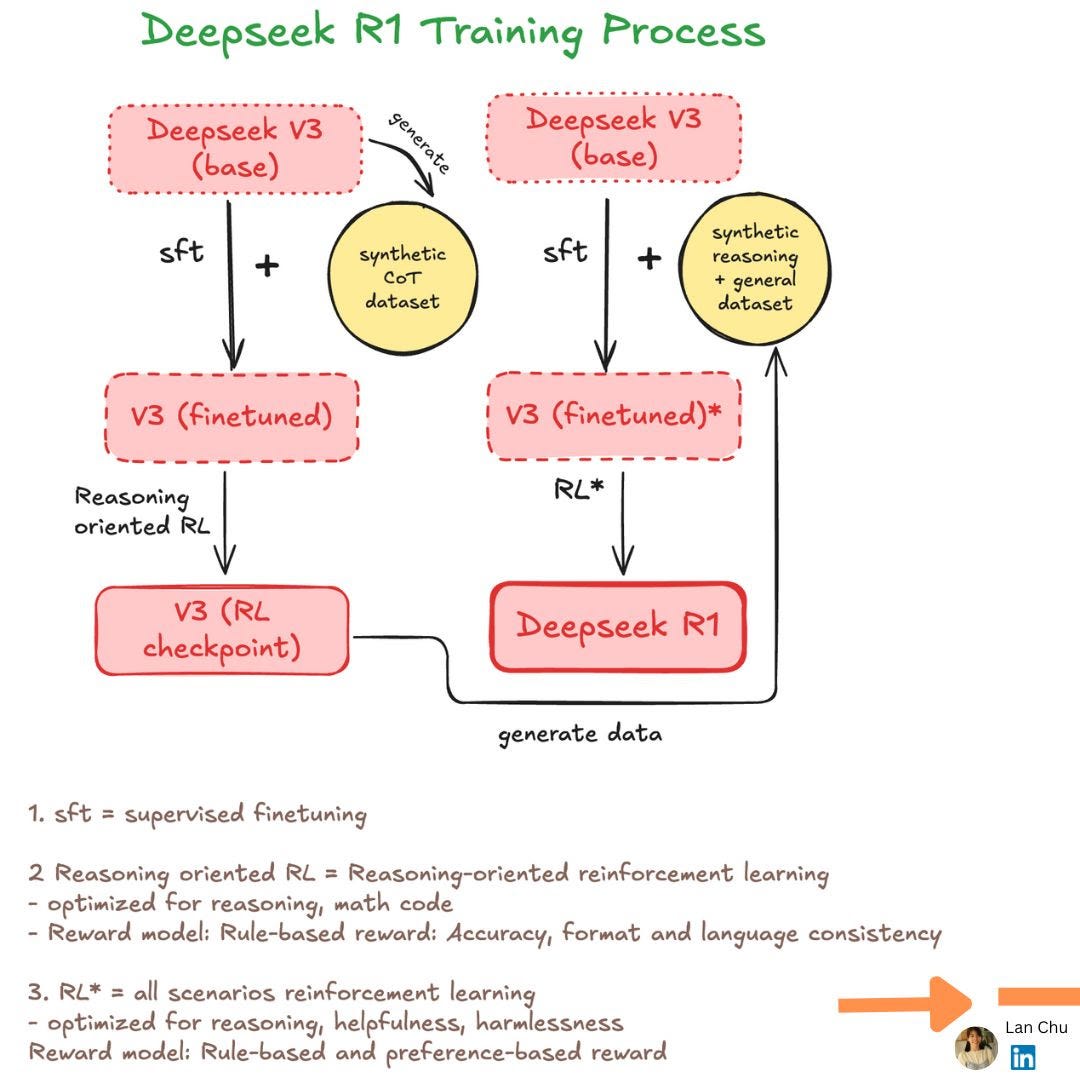
In practice, models are trained to generate code, run it in sandboxes against tests, and learn from rewards based on compilation and pass rates. This process is either via preference learning (e.g. Anthropic and Google) or via reinforcement learning (e.g. DeepSeek coder and Qwen coder).
This is why AI can now plan, call tools, and iteratively fix bugs rather than just autocomplete code. And yes, because of that, I think it can write good code too, given enough context and instructions.
The productivity paradox: faster coding, slower developing?
A recent study examined how users interact with AI and measured its impact on the productivity of experienced (5+ years) open-source developers. Surprisingly, using AI coding made experienced developers 19% slower, according to the study.
In my experience, AI can generate 70–80% of features in minutes, but the remaining 20% often requires hours of refinement, debugging, and cleaning up duplicated code or removing bad designs to get it right.
Research from Stanford shows that, indeed, with the onset of AI, developers now spend significantly more time refactoring and reworking code (though in contrast with the previous study, they claim a net positive effect):
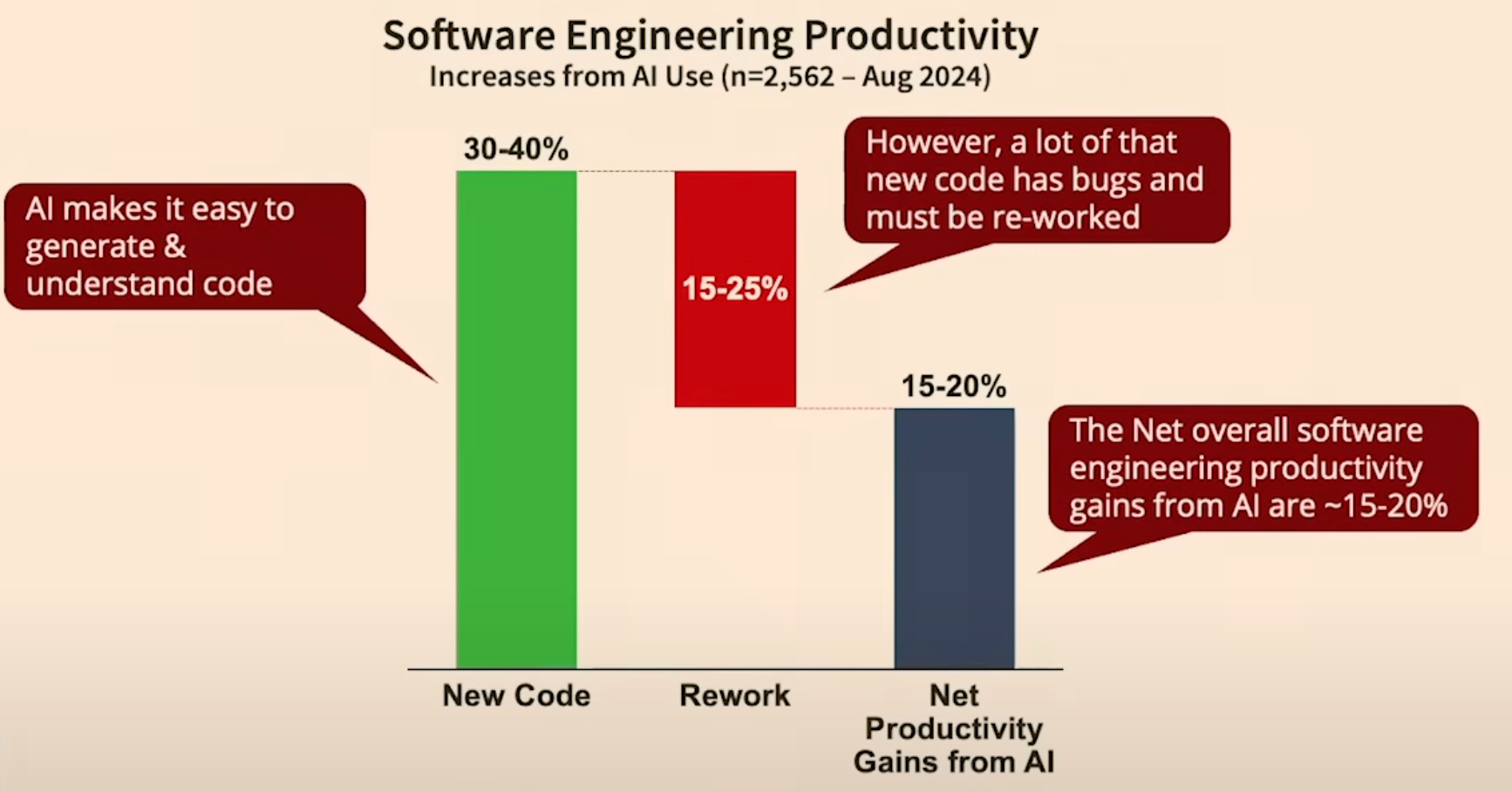
They also show that the amount of productivity gain you get from AI strongly depends on the maturity of the project and the complexity of the tasks. While basic tasks on new code bases see productivity boosts of close to 40%, it’s close to zero on mature code bases and complex tasks.
So, yes indeed. Building prototypes, smaller bug fixes, adding icons all work amazingly well. But unfortunately, for most of us who develop code professionally, the bulk of the work is maintaining large code bases and working on complex tasks.
AI is a tool; treat it as a partner only!
The verbosity and quality of AI-generated code have been discussed endlessly on social media. There are a few aspects, however, that I haven’t seen discussed much.
Coding is much more than just typing lines of code.
I see countless people boasting how they have become 10x more productive with AI. If that means writing code faster, sure.
But are we writing the code for just today or future maintenance? If you are 10x faster today, but 6 months later in the future, your colleagues need to spend 20x the time to understand the code, is that productivity?
The act of writing code only comes later. Before you even type a single line of code, you must understand the task that you are working on, think about the architecture, map out the workflows, plan how to test the code, and ensure consistency with the existing code base.
We can make a distinction between “durable” code and “disposable” code. One that goes into production and requires long-term maintenance, and the code that is a quick prototype, or a fun demo app that you’ll likely never use again. Unfortunately, writing code comes with a cost: the time and energy that you need to put into maintaining a piece of code and the risks that come with breaking functionality. Disposable code is cheap; durable code is not.
For example, in a recent project designing a RAG chatbot with both backend and frontend components, I had to make critical decisions on data collection, storage, document processing tools, pipeline update schedules, vector database choice, backend framework, frontend design, and scalability — and the list goes on and on. These are complex decisions AI cannot make reliably yet. While it can suggest options, without solid expertise, it’s hard to choose wisely
This need for experienced oversight is critical for the requirements that AI often fails miserably to meet. For example, it could not advise me on what the best tooling is for preprocessing my documents. Or one of the biggest AI blind spots: security, where a lack of real-world context can turn a quick fix into a critical vulnerability.
AI and security
Last week I asked AI to do a little cleanup on a small hobby project of mine, and for some reason, it decided to create a README.md with a description of the project, copied my API key from a .env file into it, committed the changes and then pushed to main 🤷 That’s a critical security issue right there.
Unfortunately, it is quite common. hardcoded passwords, echoing ${{ secrets.PROD_API_KEY }} inside GitHub actions, opening CORS to “*”, … you name it. GitGuardian recently found over 20 million secrets that were accidentally pushed to GitHub, where repositories that used Copilot were 40% more likely to expose secrets (6.4% vs 4.6%). My advice here: use safety guardrails to prevent secrets from being leaked by using a pre-commit hook that checks for security leaks before committing code.
How to get the best from AI coding assistants?
Your prompt matters!
I know you are tired of “prompt engineering” but let me explain!
Many people (and myself sometimes too!) don’t take prompt engineering seriously, because they think there is not much “engineering” in it. While anyone can try, unfortunately, not many of us know how to do it effectively.
Shortly after ChatGPT was rolled out, Andrew Nguyen predicted that prompt-based AI workflow is the future. He also claimed that people who specialize and know how to phrase a prompt for AI can solve a task most effectively. I am glad that I see many adverts for “prompt engineer” and “vibe coder” on job boards, but there is a small element of truth that we sometimes forget: prompting matters. There is a big difference between pasting an error to the chat without any context and hoping it will solve, versus what you normally do on a support forum: you describe what you did, provide a failing example, and explain what, in your opinion, the correct behavior.
If the code base is too big for the AI to find the correct methods and classes, sketch the desired architecture and let the AI fill in the detail.
AI can write code. And knowing these Python tools will steer it right
As mentioned, AI excels at generating code snippets. It won’t design scalable architectures or understand your tech stack nuances.. Talking about architectural design, different tools reflect different approaches to building and running AI systems. Understanding those tools and concepts is still very important.
For example, someone who doesn’t understand APIs, asynchronous workflows, data validation, logging, or testing will be far less effective at getting an LLM to build reliable RAG pipelines or agents.
The way I try to work is to constrain the task by providing context in the form of a business problem that we are trying to solve and by guiding the AI on which tools and methods to use, together with a few acceptance criteria and tests. If you are building your AI systems, here are the things I would advise to upskill
-
Document processing: Done wrong, everything else downstream will suffer.
(By the way, I’m currently building a product to tackle this exact challenge — it is going to make your life easier! Can’t wait to share it with you!)
-
Fast API: Build production-ready APIs for your backend
-
TypeScript/React (not Python, but important): Ditch Streamlit as a frontend, and use something more professional like Typescript or React.
-
Async workflows: Speed up your pipelines by handling multiple tasks asynchronously
-
Pydantic: Data validation that keeps your AI output robust and reliable and follows a structure. No more hair pulling!
-
Testing: Unit and integration tests will save you when your pipeline becomes complex.
-
Logging: Debugging your pipeline without good logs? Impossible.
Establish a culture of code ownership and code review
Let’s be clear, whether AI or a human wrote the code, if it is in your codebase, you and your team own it. We must understand every single line we commit. If you don’t understand, dig in, ask the AI to explain, test the code by running a small example to see what it does, and if you still cannot grasp it, rewrite it.
In code reviews, if AI was involved in writing the code, we need to pay extra attention to typical AI pitfalls like verbosity, duplicated code and functions, inconsistent coding styles, or bad designs. All common issues in AI-generated code that human-in-the-loop is non-negotiable.
Conclusion
The model gets you 80% of the way there; your job is to choose, constrain, clean up, and review so the remaining 20% is the right 20%.
From my experience, if you know the code base, then the benefit of using AI as a coding assistant is truly net positive!
If you’re a musician using AI to generate music, it is definitely a win.
But if you are a musician and want to build a quantum computer with AI, then it won’t work. Learn quantum computing first.
For complicated tasks? Use AI as a sparring partner, discuss solutions, challenge ideas, and figure out the best way forward. By working together, you mitigate its lack of strategic reasoning.
This process mirrors the Protégé Effect, where teaching or discussing forces you to actively think and organize your knowledge, just like working alongside a colleague.
That said, today’s AI tools are just the warm-up — we may be nowhere near their full potential. While we await the next breakthroughs, what I can say is: AI is powerful, but it is not yet a substitute for genuine expertise.